 Curious Mints
Quickly Cycling Through and Fixing Spelling Errors in VS Code Markdown Files
TL;DR
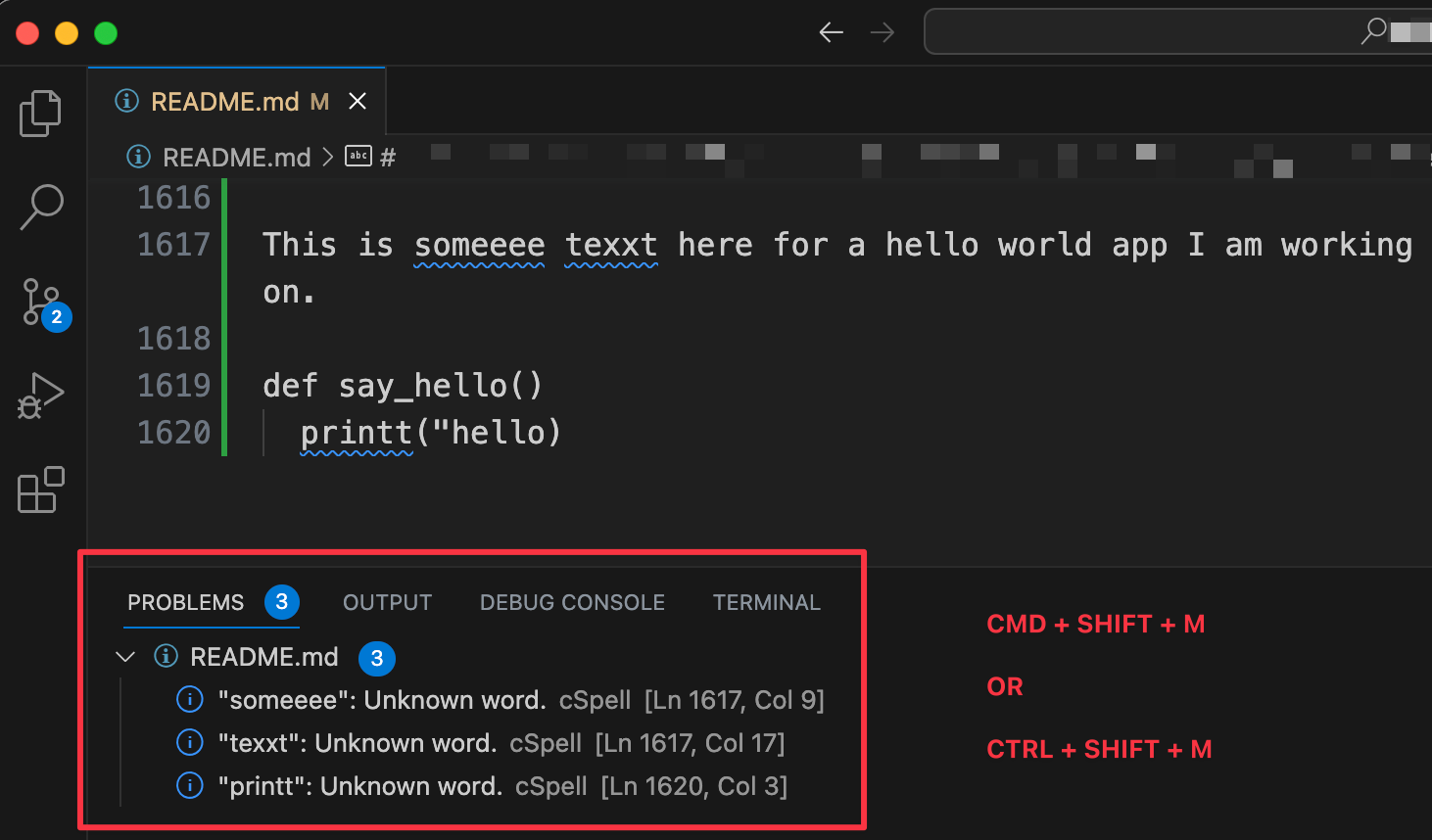
Had Code Spell Checker but no way to see every misspelling at once. CMD+SHIFT+M lists them in the Problems pane, CMD+period brings up the fix.
I wanted to cycle through and fix all spelling errors in a VS Code markdown file. I already had the spell-checking extension installed but couldn’t figure out how to see all the errors together and fix them quickly.
Here’s how -
- Open the markdown file in VS Code where you want to correct the errors.
- Install the Code Spell Checker Extension if you haven’t already.
- Press
CMD + SHIFT + Mto see all spelling errors together in the ‘Problems’ pane. - Click on an error or highlight the word and press
CMD + .to see quick fix suggestions.
The summary at the top was generated by AI.